During the Indieweb meet-up last night we talked about low power computing. Cicely said she would like to run her website on a solar powered server - a bit like low tech magazine and the solar webserver.
We had previously discussed "kind software" (Colin) and (James). Using fewer resources could perhaps be one aspect of this, and I thought of Ben Hoyt "The small web is beautiful".
I had a Raspberry pi Pico 2W microcontroller to hand which would work. This has WiFi built in to connect to the internet. I already had a webserver-on-a-pico code from the knitting machine project so took out everything but the webserver part from here.
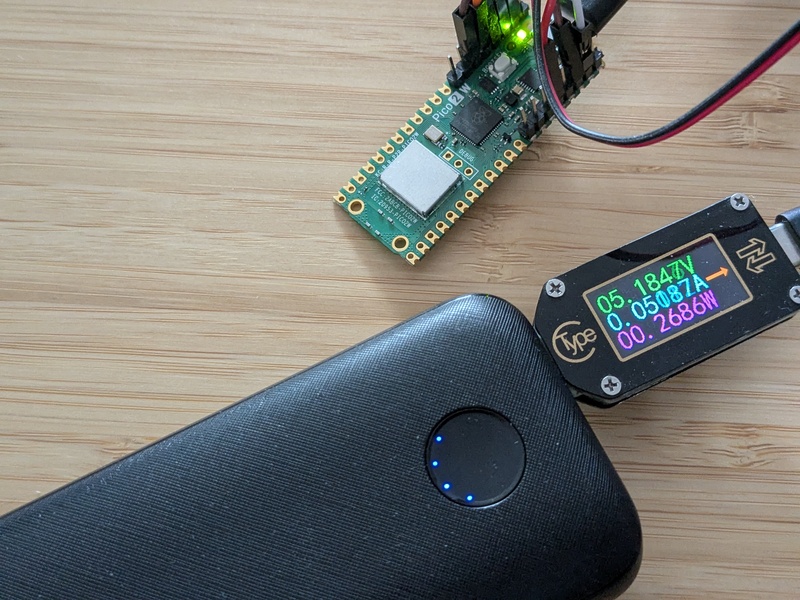 A webserver running from a phone powerbank, drawing about 1/4 watt of power. This should be feasible to power from a solar panel.
I could link to the site, but I need to use the Pi Pico for a different project I'm currently working on. Maybe we can set it up permanently later.
Details
The magic is mainly all done by the microdot web framework which acts as the web server.
The pi pico has 4Mb of storage, which should be OK for a small website. A microSD card adapter could be added as a future expansion for more space.
Here is how I did it, as a memo:
Prepare the Pi Pico:
- Flash the Pico with Micropython from this page (Pico 2W)
- Download the thonny software for talking to Micropython.
- Create directories "/lib/microdot" on the Pico, using Thonny.
- Copy files from the microdot framework into the "/lib/microdot". The files needed are " init_.py" and "microdot.py"
- Create a "/cicely" directory on the Pico; using Thonny. Copy all the web files on to it; again (surprise) using Thonny.
- Cut and paste the Python code below into Thonny, and save it onto the pico as "main.py". Set up WIFI SSID and WIFI PASSWORD for your WiFi network by editing the main.py file.
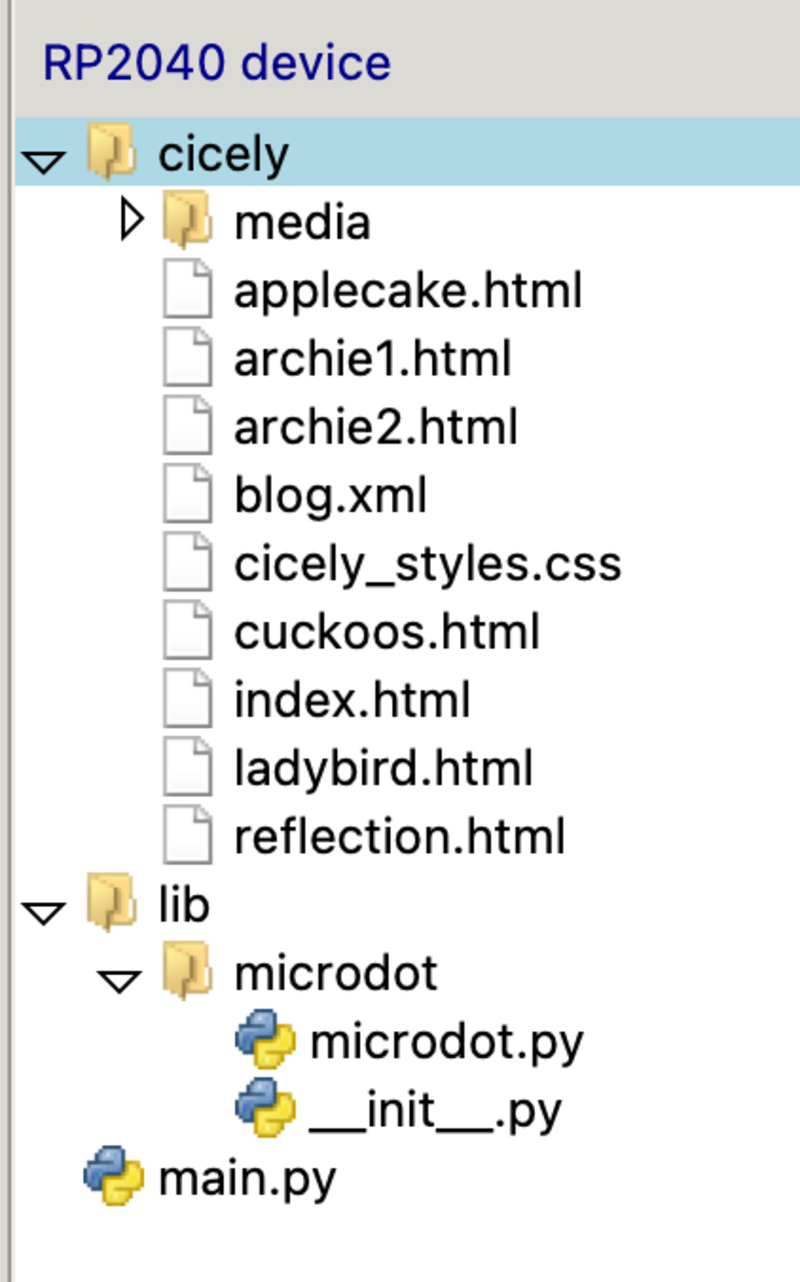
The files should look something like this (sorry for the giant image)
Run the Python code.
In the Thonny "shell" window you should see "Wifi connecting…" and then eventually "Connected with address: 192.168.x.x" (or similar).
Make your home router forward data from the internet to the Pico:
The details of how do to this vary from router to router.
For Virgin media hub routers go into the web interface (often http://192.168.0.1) then advanced settings/Security/Port forwarding
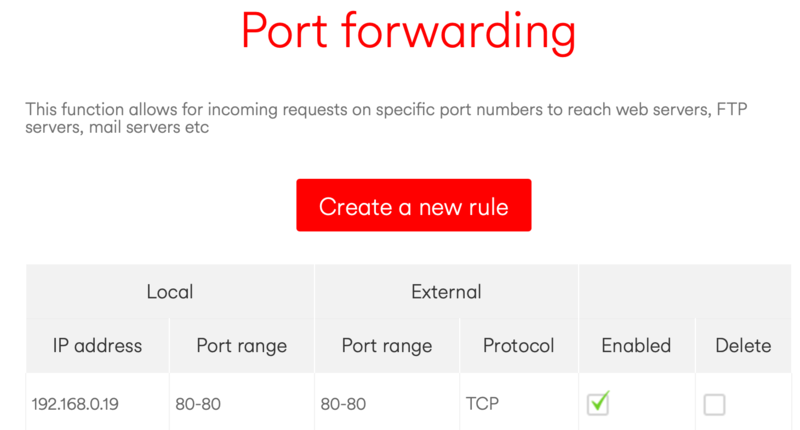
Set "local IP address" to be the IP address of the Pico (from 'run the python code' step above) and port range should be from 80 to 80; to 80 to 80. Something like this:
Find your home IP address
Use a site like whatsmyip or equivalent to find your IP address.
Access the web
Go to the address you just found out - something like http://1.2.3.4
fingers crossed you should see the web page!
Optional - add a domain name
If you have your own domain name you could point it at this address, by adding an "A" record. This is usually done using the web page of the people who supply you with the domain name.
You need to add something like:
tinyweb.my-domain.thing IN A 1.2.3.4
Where 1.2.3.4 is the IP address.
Note - most home IP addresses aren't suitable for this as they will often change. There are "dynamic DNS" services which can work around this, but that's outside the scope of this note.
The Python code
from microdot import Microdot,send_file
import network
import time
import asyncio

WIFI_SSID="YOUR WIFI NETWORK NAME"
WIFI_PASSWORD="YOUR WIFI PASSWORD"

led = machine.Pin("LED", machine.Pin.OUT)


def flash():
    for x in range(2):
        led.on()
        time.sleep(0.1)
        led.off()
        time.sleep(0.1)

def wifi_connect(ssid,password):
    print("Wifi connecting...")
    flash()
    wlan = network.WLAN(network.STA_IF)
    wlan.active(True)
    wlan.connect(ssid,password)
    while not wlan.isconnected():
        print("Still connecting...",WIFI_SSID)
        time.sleep(1)
        flash()

    ip=wlan.ifconfig()[0]
    print("Connected with address:",ip)
    led.on()

app = Microdot()

@app.get('/')
async def index(request):
    return send_file("/cicely/index.html")

@app.get('/<path:path>')
async def index(request,path):
    print("Sending",path)
    return send_file("/cicely/"+path)

async def main():
    server = asyncio.create_task(app.start_server(port=80))
    await server

def run():
    flash()
    wifi_connect(WIFI_SSID,WIFI_PASSWORD)

    asyncio.run(main())

run()