This is a tale of my discovery that the real benefit of AI is that it allows superhuman levels of procrastination.
On Friday I had some work to do at my computer. Given the boring nature of this task I was prone to discover that my desk needed cleaning. The real answer would have been to move the junk off and clean, but - my brain being the way it is - observed that if I 3D printed a little tray to keep my junk the desk would be tidier. This was clearly the only solution.
The result: The creation of the imaginatively named "ColinCAD", and a still messy desk.
(You can try the world's worst AI generated cloud/browser-based CAD solution: Here - v1 - doesn't do much - or Here - v2 - does a lot more, but many many more bugs. You can save and load designs to your computer but only if the window is wide so the controls fit.)
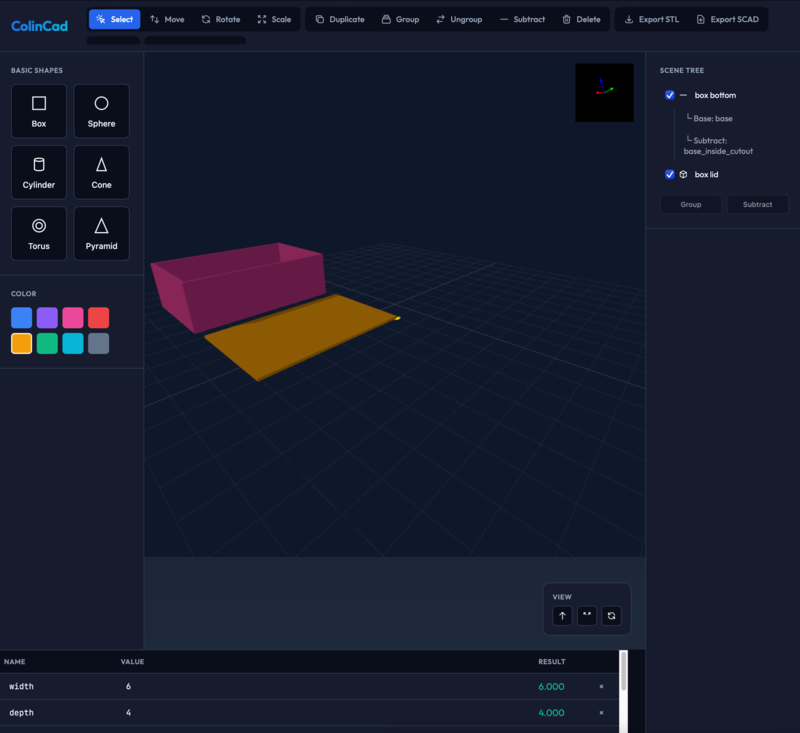 The goal reached in a few hours - a box design.
Designing a desk box
The last time I 3D printed I used Fusion 360, but the licensing has since changed. I was advised that Onshape was the current best tool, but it was also suggested that I try FreeCAD. FreeCAD cost nothing, so I thought I would try it first.
FreeCAD
Last time I tried FreeCAD I gave up in frustration at the user-interface, but I'd heard it has improved a lot recently, so decided to give it another go. A few hours later, I was still wading through forum posts to describe the cryptic error messages I was getting. I wasn't enjoying this.
 I just couldn't seem to get on with FreeCAD. Apparently as a beginner I was supposed to understand what this meant.
Then the silly idea hit me: Could the new generation of coding agents help me made a CAD system to make my box in less time then it took me to learn to use FreeCAD? Now this was a fun idea, and far more more important than getting the Hoover out and cleaning my desk (the obvious answer).
ColinCAD
I like the simple user interface of Tinkercad. It uses a principle called Constructive Solid Geometry where complex shapes are built from simpler ones. You can either join shapes together, or cut bits out of shapes using other shapes.
I'd used ThreeJS in the past and knew you could create a scene and add shapes relatively easily. But I figured that if I had to write the maths for the geometry insection calculations myself in an afternoon - well, frankly - I should really just get get back to cleaning my desk.
On Saturday morning I consulted Claude.ai (using the Sonnet 4.5 model) which told me about the weblgl csg add-on to Three.js. A few more prompts and it had created me a web page with a camera, the ability to add shapes and to cut into them. It even added the ability to export to an STL file. I was amazed it wrote this so quickly for me.
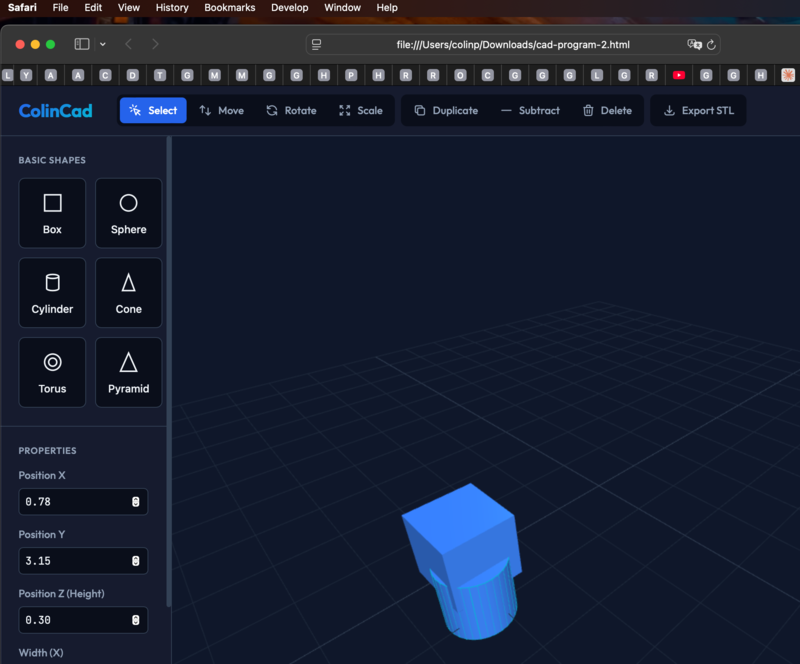 Saturday morning after an hour or so - I could make an ugly thing. Yes, my browser tabs need tidying as well as my desk.
It made a robot!
I made a robot with it. You can download the STL file here
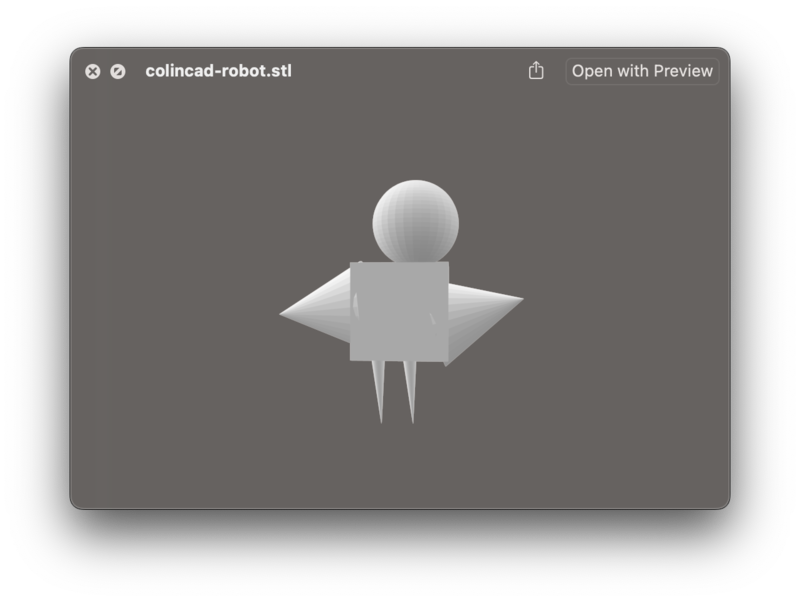 Isn't it beautiful? This cad system helps create mis-shapen pieces; a feature the commercial systems don't have.
Adding variables and formula calculations
This was fine, but obviously my desk accessory had to have carefully calculated measurements. I got Claude to add a table of variables at the bottom, where each variable could be defined as a Javascript formula. The properties of each piece could also contain formulas, using the variables:
Combined with the ability to rename parts and this was beginning to look like something sort of usable.
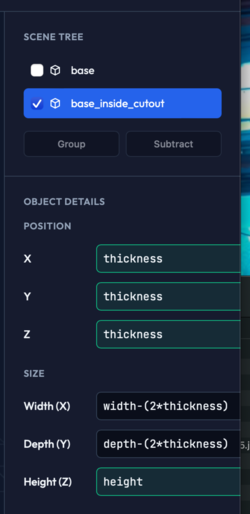
A bit later I had created a box. I didn't time everything, but I think I had probably spent just as long on creating this software as I had trying to learn FreeCAD.
What do I make of this?
I was pretty amazed to be honest that I had got this far without looking at much code. I had to do some manual fixing to do with importing libraries and Javascript module syntax - Claude got this wrong and didn't seem able to fix. But to get this far in a few hours was pretty amazing.
I have noticed that the AI is now slowing down and making errors. It has begun creating a ball-of-mud and it isn't particularly clear in its design. I think I should create a design in my head, and prompt it to create this one step at a time, likely telling it tests to create first and then run.
Next step - propagator networks/constraint solvers?
This prototype did make a simple box, but needs a lot more work to be usable. I actually quite like it though - I think with some thought it could turn into a user interface which was simple but powerful.
I need to remember more, but the propagator network model mentioned (if I remember correctly) in The Structure and Interpretation of Computer Programs and later expanded on in The Art of the Propagator by Gerald Sussman and Alexey Radul could be interesting to bolt on.
The formula language could be expanded to add constraints - "This part is connected to this part" and "The whole length is 7cm, and this part is 3cm so calculate the 4cm size of the other part".
I think making a "CAD core" wrapping around threejs could be a good start. Building up objects using Javascript function calls could help - creating a sort of Javascript based OpenSCAD.
The Threejs scene and user controls could then be added on top - perhaps these controls could even emit Javascript into a shell window (much as I think AutoCAD used to do with its lisp interface) - this might bridge the 'graphical' and 'textual' worlds in a powerful way.
Maybe the primitives might be something like:
- createPrimitive(box/sphere, position, dimensions) -> Piece
- group/ungroupPieces([Pieces]) -> Piece
- subtract/intersectPieces(Outer,Inner) -> Piece
- addVariable
- addConstraint
- solveConstraints
The user interface would then have some ability to display all the pieces, and modify their properties when moved etc.
Implications
For me, the speed that the tool let me create this was quite mind blowing. It was useful as a rapid prototyping tool - it let me experiment with UI elements that worked/didn't work.
I don't think the "This tool will replace every programmer" narrative is correct (yet). I still had to correct a mistake manually, and I think the AI needs an designer/architect to guide it. If you try out the second version you will see how many bugs it has; some things that worked in the first version broke later. (Still, being honest - it's not like I've ever created buggy, ball of mud quick prototypes myself).
I don't like the idea of all software being designed by a few giant corporations, and the energy implications. I think it important to work out how if/how we can democratise some of these tools. I must play around with more local models to see what can be achieved.
I think these models are here to stay so putting ones head in the sand is likely not the correct response. But I think we need to have careful discussions about the implications and how to mitigate the effects of this powerful new technology.
Please take and improve the software
If anyone is interested in working on this software I'd love to see what you make from it. I think the open source world is missing tools which are usable. I realise this is a long way from it, but maybe it's a start. All the source is in the HTML files linked above so it should be easy to get.
Don't leave me hanging - is my desk clean?
On Sunday I cleaned and tidied, and did the tasks I was supposed to do on Friday. I tried Onshape, and quite quickly managed to design something. But this was a really interesting and fun learning exercise.
Revisions linked above:
colincad1 - git rev f9e37d1d8bbcb1fd23bf8021aeb19f000bcb3ede - Sat Feb 21 12:40:38 2026 +0000
colincad2 - git rev 8d6052fe38ea64bedca05dfa7aa764198928415f - Mon Feb 23 13:41:57 2026 +0000
Ignore this bit:
Internal reminder: Screenshot sizes mess up when I publish this - magick convert -auto-orient -resize 250 Colincadscreenshot3.png cs.png && mv cs.png Colincadscreenshot3.png